
Citra Emulator Download (2026) – Final Builds for PC, Android & Linux
Play Nintendo 3DS games on Windows, Android, and Linux with HD graphics, controller support, and improved performance.
Definition
What Is Citra Emulator?
Citra Emulator is a software that lets you play Nintendo 3DS games on a computer or other supported devices. It works by copying how a real Nintendo 3DS system runs games. This allows games to open and play on a bigger screen with better control options.
Many people use Citra to enjoy their favorite 3DS games in a more comfortable way. Citra also improves how games look and feel compared to the original device. Games can run with clearer graphics, smoother performance, and custom controls. Users can change settings to match their system and playing style. This makes Citra Emulator a popular choice for Nintendo 3DS emulation.
FEATURES
Why Choose Citra Emulator?
Citra Emulator is popular because it is easy to use, free, and works well on many devices. It helps users play Nintendo 3DS games smoothly with better graphics and useful features. Both beginners and advanced users can enjoy a great gaming experience with Citra.
Wide Game Support
Citra Emulator supports many popular Nintendo 3DS games. Most games run smoothly, which makes Citra a reliable 3DS emulator.
Clear HD Graphics
Citra improves game graphics by increasing screen resolution. This makes 3DS games look clearer and more enjoyable on PC.
Smooth Performance
Citra Emulator is designed to run games smoothly with fewer lags. You can change settings to match your system for better speed.
Easy Controls
Citra lets you play using a keyboard or a game controller. This gives better control and a more comfortable gaming experience.
Gameplay Tools
Citra includes save states and useful performance options. These features help you save progress and fix common game issues.
Free & Open-Source
Citra Emulator is free to download and use for everyone. Being open-source makes it safe, transparent, and trusted by users.
Why Was Citra Emulator Discontinued?
Citra Emulator was one of the most popular Nintendo 3DS emulators available for PC and Android. The project was developed by a community of contributors and provided users with a reliable way to play Nintendo 3DS games on modern devices.
In March 2024, the development of Citra officially ended following legal actions related to the Yuzu emulator project. As a result, the official Citra website, repositories, and development channels were taken offline. While active development stopped, the final versions of Citra continue to work and remain usable for many Nintendo 3DS games.
Even though Citra is no longer being updated, it is still widely used by gamers because of its strong compatibility, stable performance, and easy setup process. Many users continue to play their favorite Nintendo 3DS titles using existing Citra builds.
Following the end of official development, many users started exploring Azahar Emulator as a modern alternative. Among them, Azahar has become one of the most recognized successors, offering ongoing improvements and support for users who want a modern alternative.
SYSTEM REQUIREMENTS
Citra Emulator System Requirements
Before downloading Citra Emulator, make sure your device meets the system requirements. This helps Citra run smoothly and avoids lag or crashes during gameplay.
Windows System Requirements:
Make sure your Windows PC meets these requirements to run Citra Emulator smoothly without lag.
Linux System Requirements:
Your Linux system should meet these requirements to run Citra Emulator smoothly without performance issues.
MacOS System Requirements:
Make sure your Mac meets these requirements to run Citra Emulator smoothly without lag.
Android System Requirements:
To run Citra Emulator smoothly on an Android device, your phone should meet the basic system requirements.
Is Citra Emulator Safe?
Yes, Citra Emulator is generally considered safe when downloaded from trusted sources. It is an open-source project, which means its code can be reviewed and inspected by developers around the world. This transparency has helped Citra build a strong reputation within the emulation community.
Citra does not contain malware, spyware, or unwanted software. However, users should always be careful when downloading emulator files from unofficial websites, as modified versions may contain harmful software. For the best experience, always use trusted downloads and keep your system protected with updated security software.
Many gamers use Citra on Windows, Linux, and Android devices without security issues. The emulator itself does not modify system files or make permanent changes to your device. It simply provides an environment that allows Nintendo 3DS games to run on supported platforms.
While Citra remains a trusted Nintendo 3DS emulator, users interested in actively maintained alternatives can read our Citra vs Azahar comparison to understand the differences between the two emulators.
How to Setup Citra Emulator Easily?
Setting up Citra Emulator is easier than most people think. You don’t need any technical skills—just follow a few simple steps and you’ll be able to play Nintendo 3DS games on your device without any hassle. Here’s a beginner-friendly guide to get you started.
1. Get the Citra Emulator:
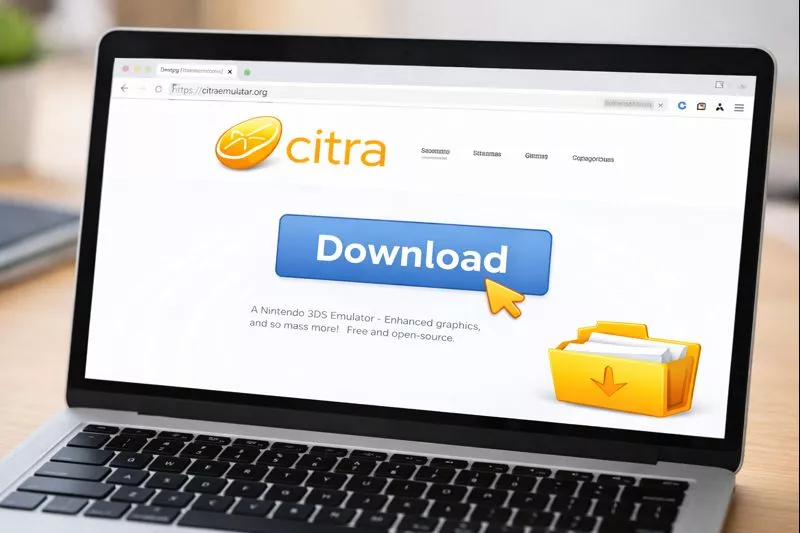
Start by downloading the Citra emulator from a safe and trusted website https://citraemulator.org/. There is no newer version — the final build below is the only one anyone should use. Make sure you select the correct version for your device, like Windows, Mac, or Android. This helps the emulator run properly without crashes or issues.
2. Complete the Installation:
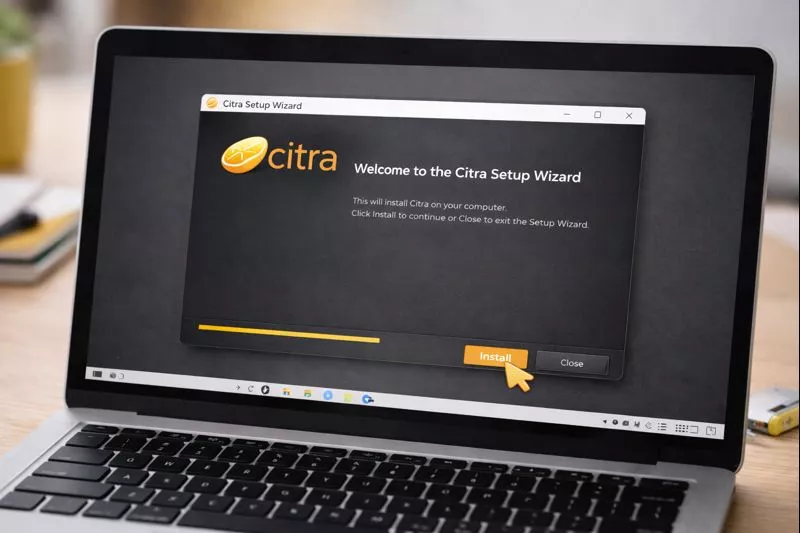
Open the file you downloaded to start the installation. A setup window will appear, just click “Next” and follow the simple steps. You don’t need to change anything if you don’t understand it. After a few minutes, the installation will finish and you can open the Citra app.
3. Add Your Games:
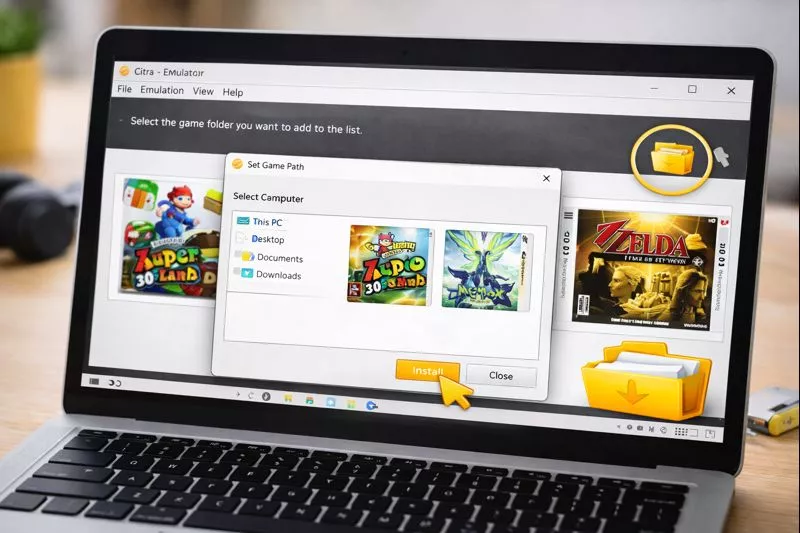
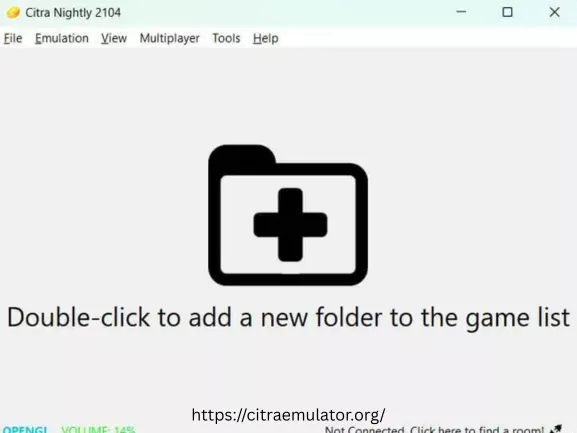
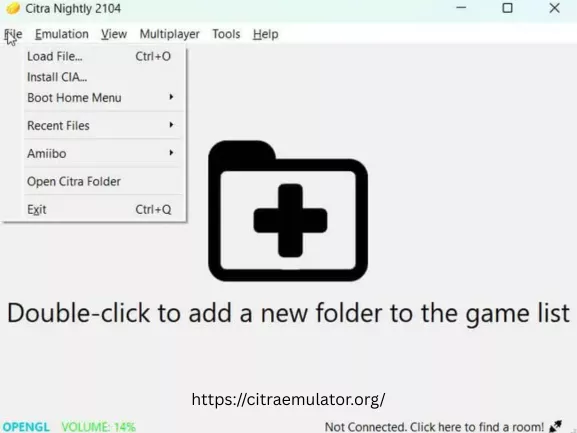
First, save all your game files in one folder on your device so they are easy to find. Then open Citra and click on “Add Game Folder.” Select your folder and wait a few seconds. Your games will appear in the app and be ready to use.
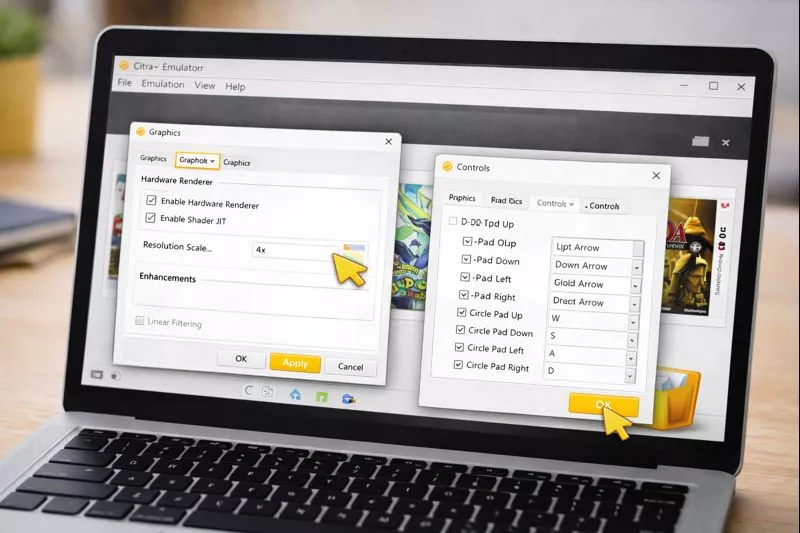
4. Change Basic Settings:
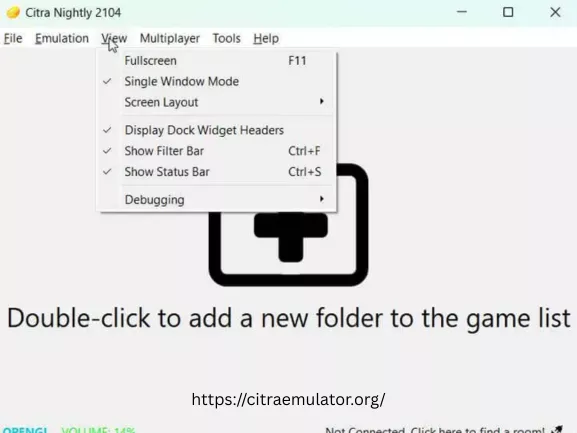
Go to the settings menu in Citra before starting a game. You can change graphics and performance options to match your device. If your device is slow, use lower settings to avoid lag. These small changes help your game run better and smoother.
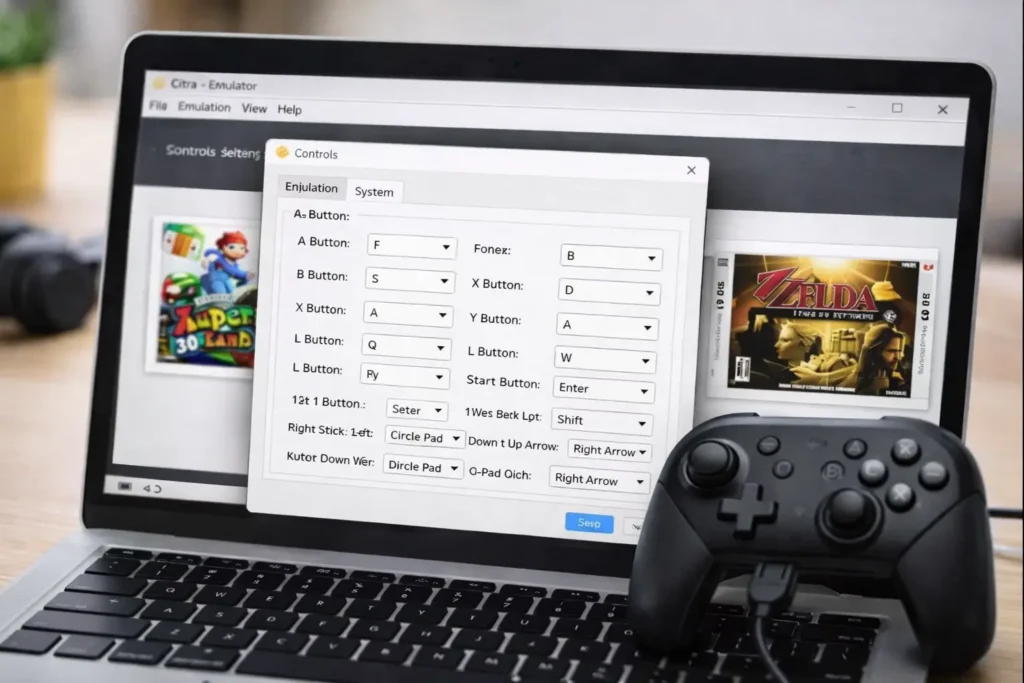
5. Set Your Controls:
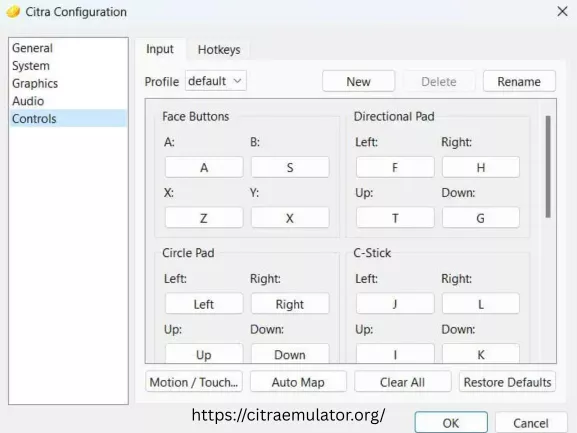
Open the controls settings in Citra and choose how you want to play. You can use your keyboard or connect a controller. Set each button in a way that feels comfortable for you. Good controls make the game easier to play and more enjoyable.
6. Start Playing:
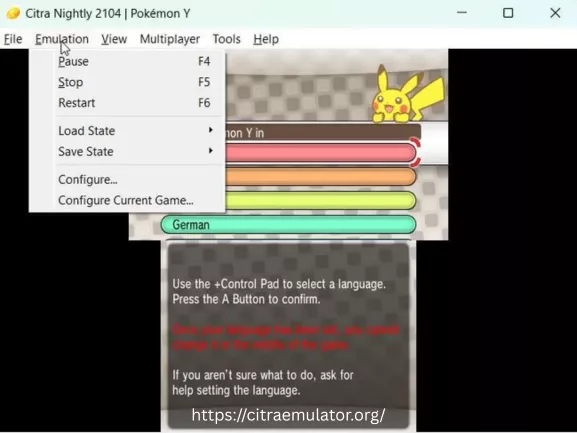
Now everything is ready, so you can start your game. Just click on any game in the list and it will open. If your settings are correct, the game will run smoothly. Now you can relax and enjoy playing without any issues.
Citra vs Azahar: Which Emulator Should You Choose?
Citra and Azahar are both Nintendo 3DS emulators that allow users to play 3DS games on PC and Android devices. Citra is a well-known emulator with strong compatibility and years of community support. Although official development ended in 2024, it remains a reliable choice for many players.
Azahar is a newer emulator that continues active development and receives regular improvements. It aims to provide better long-term support, bug fixes, and compatibility updates. Users who want an actively maintained Nintendo 3DS emulator may consider Azahar as a modern alternative to Citra.
What is Azahar Emulator?
Azahar Emulator is a Nintendo 3DS emulator developed to continue the progress of 3DS emulation after Citra’s discontinuation. It focuses on performance, compatibility, and ongoing updates for modern devices.
Many users switch to Azahar after first using Citra Emulator because both projects focus on Nintendo 3DS emulation.
Best Nintendo 3DS Games for Citra
Citra Emulator supports many popular Nintendo 3DS titles. Some of the most played games include:
- Pokémon Ultra Sun
- Pokémon Omega Ruby
- Pokémon X
- Mario Kart 7
- Animal Crossing: New Leaf
- Fire Emblem Awakening
- The Legend of Zelda: Ocarina of Time 3D
- The Legend of Zelda: Majora’s Mask 3D
These games are known for running smoothly on compatible Citra settings.
SCREENSHOTS
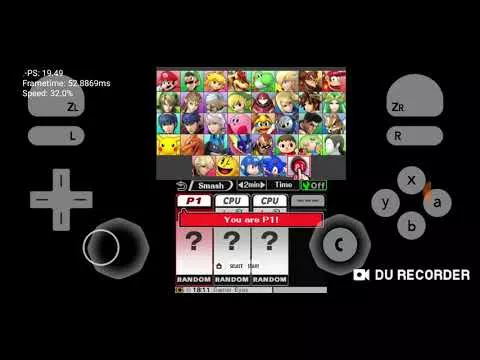
Citra Emulator in Action
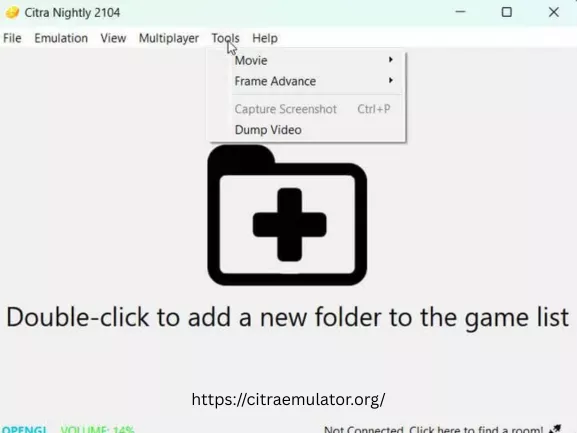
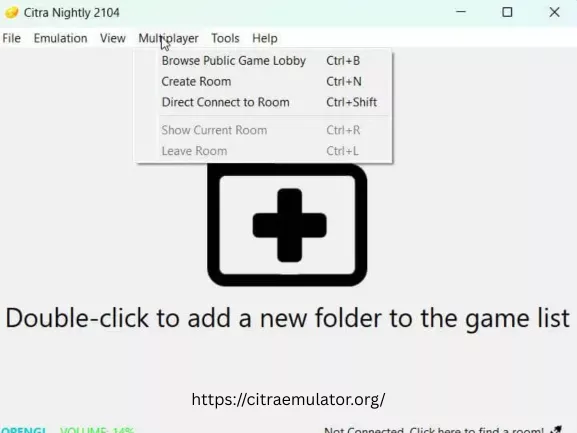
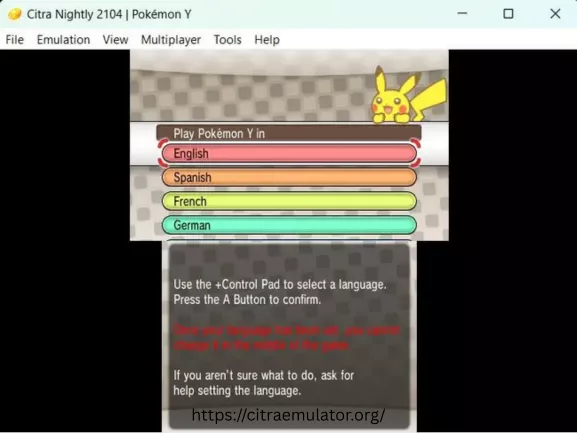
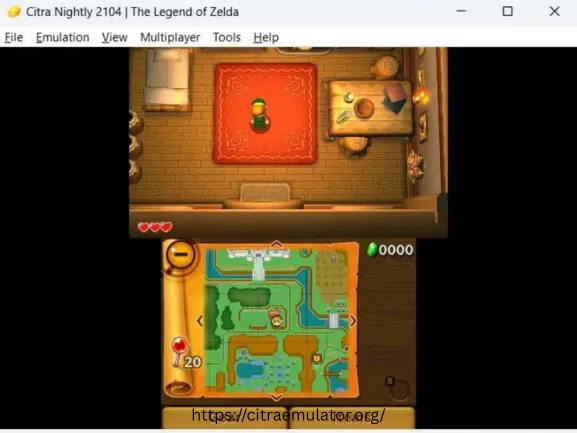
These screenshots show how Citra Emulator looks while running games. You can see the clean interface, smooth gameplay, and improved graphics quality. This preview helps you understand what to expect before downloading and using Citra.
Download Versions
ABOUT CITRA EMULATOR
Origin and Development
Citra Emulator is a software that allows people to play Nintendo 3DS games on their computer. It was first created in 2014 by a developer known as “bunnei.” Over time, many developers from different places worked together to improve it. Because Citra is open-source, anyone can see the code and help make it better. This teamwork helped Citra grow and become widely used.
In March 2024, the official development of Citra Emulator was stopped. Even after this, the emulator still works well and many games can still be played smoothly. Users can continue using Citra with the existing versions that are available. This makes Citra a useful option for enjoying Nintendo 3DS games even today.
Best Citra Settings for Smooth FPS:
Using the right basic Settings in Citra Emulator helps improve game speed and reduce lag. These simple adjustments work well for most users and are a good starting point for smooth gameplay. You can fine-tune these settings later if needed:
1. Graphics Settings
2. Performance Settings:
3. Display & Controls:
Citra Alternatives
Although Citra remains popular, several citra emulator alternatives are available for users looking for different features or ongoing development. Azahar is currently one of the most discussed alternatives due to its active development and focus on continuing Nintendo 3DS emulation. Other alternatives include Lime3DS and Panda3DS.
Each emulator offers different strengths related to compatibility, performance, and development goals. Users may choose a specific emulator depending on their hardware, preferred features, and the games they want to play.
Exploring multiple emulator options can help users find the best solution for their gaming needs while ensuring continued access to Nintendo 3DS titles on modern devices.
FAQS
Frequently Asked Questions
Below are some common questions that users often ask about Citra Emulator. These answers help clear common doubts and issues before getting started. The information is kept simple to help you use Citra more easily.