
Download Citra Emulator ( Windows, MacOS & Android )
Citra Emulator allows you to play Nintendo 3DS games on different devices with better performance and improved graphics. This page gives you the correct final version of Citra for your device, hosted here so you can download it directly and safely.
One honest note before you download
CitraEmulator.org is an independent guide site . We are not the Citra team and we are not affiliated with Nintendo. The original Citra project was discontinued in March 2024, so the builds below are the final official releases (Nightly 2104, 4 March 2024). There is no newer version anywhere: any site selling a “Citra 2026 update” is faking it, and those files are a common source of malware. We keep the real final builds here, with their real names and sizes, so you can check exactly what you are getting.
Quick Answer
Download the build for your device below, Windows (ZIP, 31 MB), Mac (universal build for Intel & Apple Silicon) or Android (APK, 19 MB). All are the final March 2024 releases and free. Install, add your own game files, and play. If you want an emulator that still receives updates, try Azahar, the successor built from Citra’s code, the comparison table further down explains the difference.
DOWNLOAD SECTION
Download Citra Emulator
Citra Emulator is a Nintendo 3DS emulator that lets you play compatible 3DS games on desktop and Android devices. Citra was an open-source project, and development of the original project ended in March 2024. Two final builds exist: Nightly 2104 (stable) and Canary 2798 (experimental). Only the Nightly builds are offered for download on this page.
Windows
| Property | Details |
| File Name | citra-windows-msvc-20240303-0ff3440_nightly.zip |
| File Size | 31 MB |
| Version | 2104 Nightly (final release) |
| Developer | Citra Team |
| Release Date | 4 March 2024 |
| File Type | ZIP Archive |
| Supported OS | Windows 10 / Windows 11 (64-bit) |
If you use a Windows PC, this version is the best place to start. It offers smooth gameplay, clear graphics, and full controller support. The file name after download should be citra-windows-msvc-20240303-0ff3440_nightly.zip , if yours says anything else, delete it and download again from here.
First time installing? The Windows install walkthrough takes you through setup step by step, including building from source for advanced users.
MacOS
| Property | Details |
| File Name | citra-macos-universal-20240303-0ff3440_nightly.7z |
| File Size | Not verified |
| Version | 2104 Nightly (final release) |
| Developer | Citra Team |
| Release Date | 4 March 2024 |
| File Type | 7z Archive |
| Supported OS | macOS, Intel and Apple Silicon |
Citra also works on macOS for users who want to play on a Mac. This is the universal build, so the same file works on Intel and Apple Silicon machines. Because the app is from 2024, macOS Gatekeeper may warn you on first open, Mac download page shows the correct way through it.
Android
| Property | Details |
| File Name | citra-citra-emulator.apk |
| File Size | 19 MB |
| Version | Final Android build (bed6a4f12) |
| Developer | Citra Team |
| File Type | APK |
| Supported OS | Android (64-bit) |
Want to play 3DS games on your phone? This is the final official Android build. The app was removed from Google Play when the project shut down. That is why we host the APK here, the same file, direct from this site, with no download managers and nothing extra bundled with it. Make sure your device meets the requirements below for the best experience.
For install steps and fixes for the common “App Not Installed” error, open the Android download and install page. Want extra features? Try the Citra MMJ fork. Or get Azahar on Google Play for an app that is still supported.
BEFORE YOU DOWNLOAD
System Requirements
Before downloading Citra Emulator, make sure your device meets the basic system requirements. This helps avoid installation errors, crashes, or performance issues later. Two minutes here saves hours of fixing later.
Check Your File After Downloading
Compare the downloaded file name with the tables above, then scan it with your normal antivirus before opening it. The real Citra never asks you to install a browser extension, a download manager, or a “crack”. If anything extra tries to install, you have the wrong file. The genuine final builds are also preserved by the Internet Archive’s Citra collection, so you can cross-check names and dates there any time.
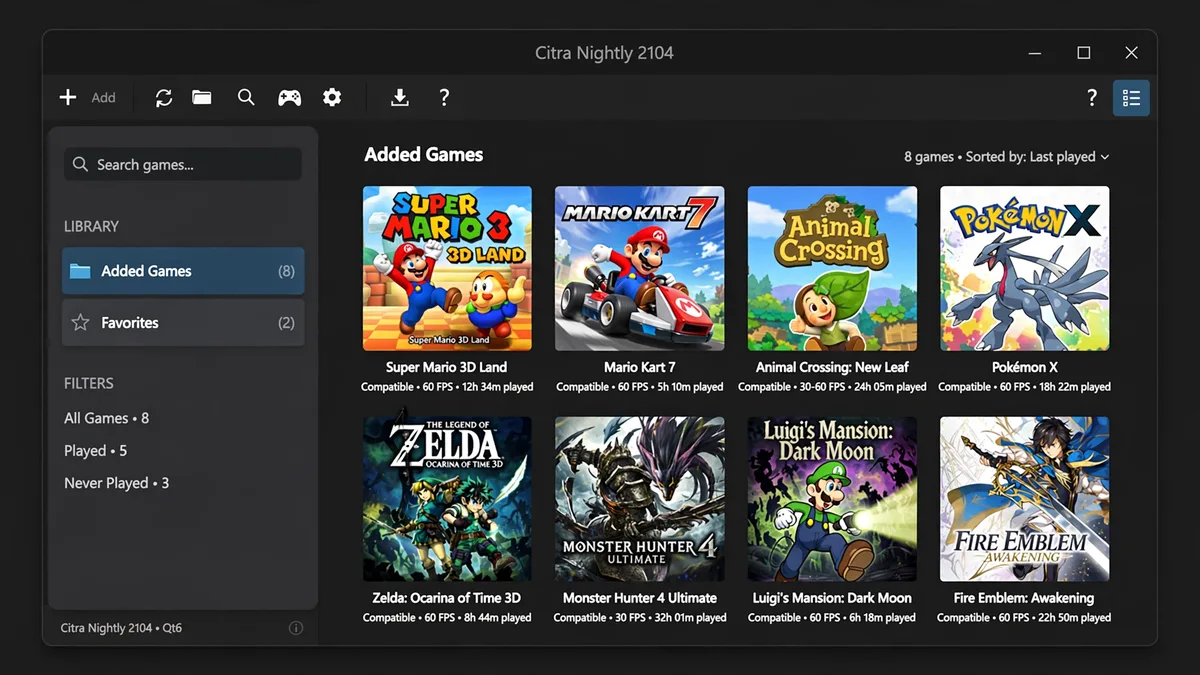
Citra or Azahar, Which Should You Choose?
Citra’s code lives on in Azahar, the open-source successor created when PabloMK7’s Citra fork merged with Lime3DS. Azahar is still updated today; Citra never will be. The short version:
| Citra (final build) | Azahar (successor) | |
| Last updated | 4 March 2024, never again | Actively updated in 2026 |
| Game compatibility | Very good on most popular 3DS games | Same Citra core, still improving |
| Best for | Existing Citra setups and Citra-specific guides | Anyone starting today |
Sticking with Citra is completely fine if it already runs your games, just get it from a page like this one that tells you the truth about what it is. Starting fresh? Download Azahar instead, from its official website or Google Play.
What You Get with Citra Emulator?
Citra Emulator comes with useful features that improve the overall gaming experience. It helps games run better while also making them look clearer on your device, and users can easily adjust settings without technical knowledge.
- Improved graphics and higher resolution for clearer gameplay
- Fully customizable control settings for keyboard and controllers
- Built-in performance options to reduce lag and improve speed
- Free and open-source emulator, preserved by the community
Helpful Guides to Use Citra Emulator Better
Downloading Citra Emulator is just the first step. The emulator opens to an empty library. Your next job is adding your own game files, ROMs, CIA and DLC each have their own place. Only use games dumped from cartridges you own. From there, these guides cover the questions almost every new user asks:
What Is Citra Emulator? How It Works, Features & Setup Explained
Citra Game Compatibility List, 500+ Games Rated
Best Settings for Citra Emulator (FPS & Performance Boost)
Is Citra Emulator Still Working in 2026?
Does Citra Emulator Need BIOS?
Common Troubleshooting Issues
While using Citra Emulator, some users may experience small problems during download or gameplay. These issues are common and usually related to system settings or permissions. In most cases, they can be fixed easily without advanced technical steps.
Emulator Does Not Open After Download
This issue may occur if the file is blocked or not installed properly. On Windows, right-click the file and check it is not blocked, and install the latest Microsoft Visual C++ package. On Mac, use the Gatekeeper steps on the Mac page. The full list of causes is in our not opening fixes.
“App Not Installed” on Android
Usually this means an older or different Citra build is already on the phone, or the download was incomplete. Uninstall the old version first, confirm the APK is the full 19 MB, and install again. The Android page above has the complete fix list.
Antivirus Flags the Download
Old emulator files sometimes trigger generic warnings. Downloaded from the buttons on this page? First check the file name matches the table above. Then scan the file and compare it with the Internet Archive copy. Only open it if your antivirus shows no real threat. Never disable your antivirus for any emulator file, here or anywhere else.
Frequently Asked Questions
Conclusion
Citra’s final builds still do the job they always did, and now you know exactly which files are real, what they are called, and how big they should be. Download your platform’s build above, check the file name, and enjoy your games. And if you are starting fresh, Azahar is the emulator with a future.