If you have ever used console emulators before, you probably know how confusing BIOS files can be. Many emulators refuse to work without them, and finding the correct BIOS often leads to legal and technical problems. This is why most beginners get stuck before they even start playing.
Quick Answer:
No, Citra Emulator does not require a BIOS file to run Nintendo 3DS games. Unlike many other emulators, Citra is designed to work without using original console firmware. This makes the setup process much easier and safer for beginners. You only need your own game files and required keys to start playing.
Citra Emulator is different. It was designed to remove this complexity and make Nintendo 3DS emulation simple for everyone. But if Citra does not use a BIOS, how does it actually run games? And what files do you really need? Let’s break everything down in the simplest way so you can set up Citra correctly and avoid common mistakes.
Why Citra Emulator Does Not Require a BIOS?
Citra Emulator does not use the original Nintendo 3DS system firmware like old console emulators. Instead, it copies how the system works using software, which removes the need for BIOS files and makes setup much easier.
What Citra Needs Instead of BIOS?
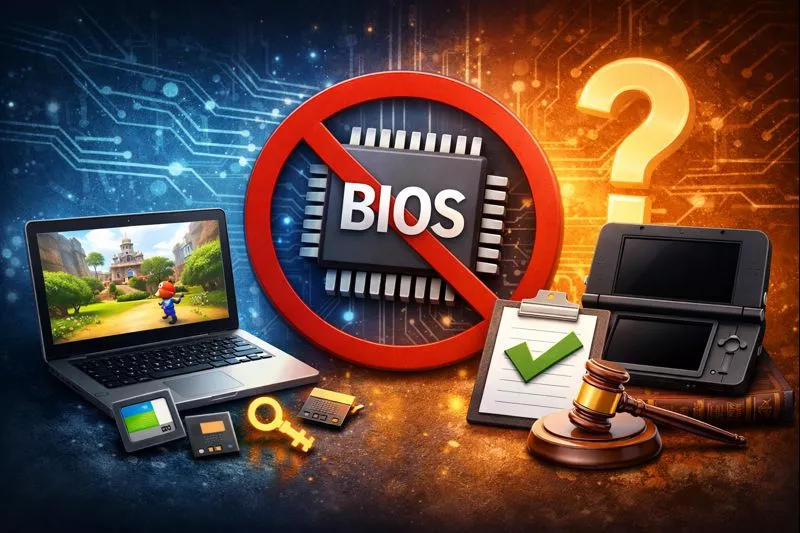
Citra Emulator does not need a BIOS file, but it still requires a few important files to run Nintendo 3DS games properly. These files come from your own Nintendo 3DS system and are part of the normal console data. They help Citra load games correctly and improve compatibility with different titles.
1. Nintendo 3DS game files (dumped from your own console):
Citra needs your game files to run any game. These files should be dumped from your own Nintendo 3DS cartridges or digital library. Without game files, Citra has nothing to load or play.
2. Encryption keys (used to decrypt games):
Most 3DS games are encrypted, so Citra needs special keys to read them. These keys allow the emulator to unlock and load your game files properly.
3. System firmware (optional but recommended):
Firmware is not required, but it improves compatibility with many games and system features. Installing firmware can help fix errors and make more games work correctly.
These files are different from a BIOS. They are normal Nintendo 3DS system data and are required for proper emulation, while BIOS is not used by Citra at all.
While Citra does not require a BIOS file, other emulators like PlayStation 2 emulators require BIOS files to run games properly. .
Are Keys and Firmware the Same as BIOS?
No, keys and firmware are not the same as a BIOS file. A BIOS is the core system software of a console, and many emulators need it to run games. However, Citra does not use BIOS at all, which makes setup much easier for users.
|
File Type |
Purpose |
|---|---|
|
BIOS |
Core system firmware of a console, which many emulators need, but Citra does not use it. |
|
Keys |
Used to decrypt Nintendo 3DS game files so Citra can read and run them. |
|
Firmware |
Improves game compatibility and adds system features for better performance. |
This is why Citra is easier to set up than many other emulators it completely avoids BIOS usage.
Is Citra Emulator Legal Without BIOS?
Yes, Downloading Citra Emulator itself is completely legal to use. It is a free open-source program and does not include any Nintendo system files. Legal use depends on how you get your games and system data. You should dump your own games from your Nintendo 3DS and use your own system files.
Downloading copyrighted game files that you do not own is not allowed. Because Citra does not provide or use BIOS files, it stays within legal limits and avoids copyright issues.
Do You Need BIOS on Android Version of Citra?
Citra Emulator on Android follows the same design as the PC version and does not require any BIOS file. This makes the setup simple and beginner-friendly, without any complicated system file installation. You only need your own game files and basic setup to start playing.
The same setup method across PC and Android makes Citra easy to use for beginners.
Common Problems Caused by Missing Files (Not BIOS):
Many users believe Citra Emulator needs a BIOS file because they see errors when trying to run games. When a game does not load or shows a black screen, beginners often assume an important system file is missing. In reality, these issues are almost always caused by missing or incorrect game-related files.
Common Errors Users See:
Game not loading
This usually happens when the game file is incomplete or was not dumped correctly from the original Nintendo 3DS. Citra cannot run broken or damaged game files.
Black screen on startup
A black screen often appears when encryption keys are missing or when the game file format is not supported. The emulator opens, but the game fails to start properly.
Encrypted ROM error
This error means the game file is locked and Citra cannot read it. Without the correct keys, encrypted 3DS games will not run.
Real Reasons Behind These Problems:
The real cause of these errors is usually related to missing or incorrect files needed by Citra. Without the proper encryption keys or correct game format, the emulator cannot load games properly. Fixing these file-related issues usually solves the problem without needing any BIOS file.
Missing encryption keys
Encryption keys are required to unlock protected game files. Without them, Citra cannot load or play most 3DS games.
Unsupported game format
Some game formats are not compatible with Citra. Using the wrong file type can cause loading errors or crashes.
Incorrect game dump
If a game is not dumped properly from the console, it may fail to run or crash during gameplay.
These issues may look serious, but they are not related to BIOS at all. Citra is designed to work without BIOS, and most problems can be fixed by using correct game files and proper encryption keys.
Should You Ever Look for a Citra BIOS File?
No, you should never look for a Citra BIOS file because there is no official BIOS for Citra Emulator. Citra is designed to run without any console firmware, so any website claiming to offer a “Citra BIOS” is misleading and incorrect.
Downloading fake BIOS files can waste your time, expose your device to malware, and even create legal problems. If a guide tells you to download a Citra BIOS, it is wrong because Citra does not use BIOS at all.
Conclusion:
Citra Emulator does not require a BIOS file on PC, Android, Linux, or macOS. Its BIOS-free design makes it much easier to install and use compared to many other emulators, especially for beginners. You only need your own game files, encryption keys, and optional firmware for better compatibility.
If Citra is not working properly, the problem is almost always related to missing keys, incorrect game files, or wrong settings not BIOS. Once these files are set up correctly, Citra can run Nintendo 3DS games smoothly without any BIOS at all.