Before installing Citra Emulator, you should first check if your PC or phone is powerful enough to run it properly. Many problems like lag, slow speed, or crashes happen because the device does not meet the required hardware level.
This guide explains what kind of PC or Android phone you need for Citra, what these requirements mean in simple terms, and whether low-end devices can run Nintendo 3DS games smoothly.
Quick Answer:
Citra Emulator lets you play Nintendo 3DS games on your PC or Android phone, but your device needs to be powerful enough for smooth gameplay. A good processor, enough RAM, and proper graphics support are important to avoid lag and crashes. If your system meets the recommended requirements, Citra can run games fast, smooth, and in high quality.
Minimum vs Recommended System Requirements Explained:
Citra Emulator can run on many different devices, but how well it works depends on how powerful your system is. Your processor, graphics card, and memory all play an important role in game performance.
Minimum system requirements mean that Citra can install, open, and load games on your device. However, games may run slowly, show lag, or drop frames, especially in heavy titles. This level is only good for basic testing or very light games.
Recommended system requirements are meant for smooth and enjoyable gameplay. With these specs, games run faster, look better, and have fewer stutters or crashes. You can also use higher resolution and better graphics settings.
If your device only meets the minimum requirements, you should expect lower performance and may need to lower graphics settings to make games playable.
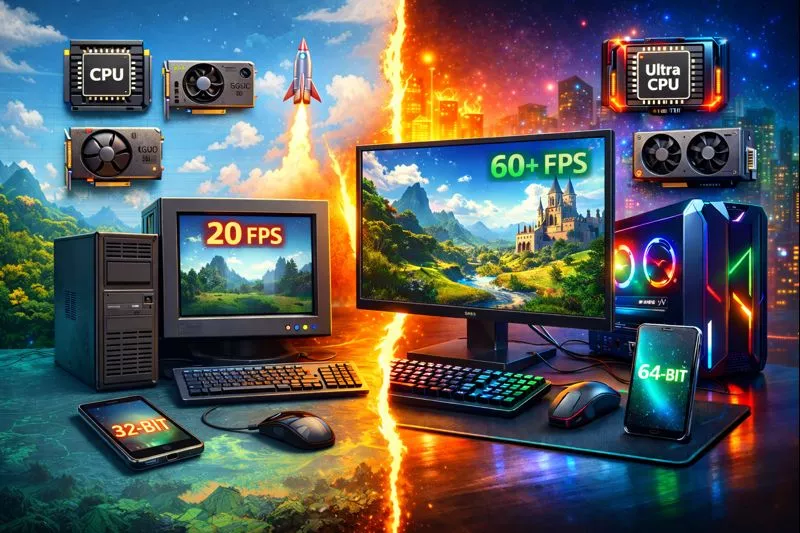
Citra Emulator System Requirements for PC (Windows & Linux):
Citra Emulator works on both Windows and Linux computers, but game performance depends on how powerful your system is. A better processor, graphics card, and enough RAM will help games run smoother with higher FPS.
Minimum Requirements (PC):
These system requirements allow Citra to run and load games, but performance may not be smooth in all titles. You may need to lower graphics settings to make games playable.
|
CPU: Dual-core processor with good speed |
A basic dual-core processor can run Citra, but heavy games may feel slow and laggy. Faster processors give better performance and smoother gameplay. |
|---|---|
|
GPU: OpenGL 3.3 or Vulkan compatible graphics card |
Your graphics card must support modern graphics features so games can run properly. Without proper support, games may crash or not open at all. |
|
RAM: 4 GB |
4 GB of RAM is enough for basic use, but running multiple apps at the same time can cause slowdowns. Some games may stutter on low memory. |
|
OS: Windows 10 (64-bit) or Linux (64-bit) |
A 64-bit operating system is required for best compatibility and stability. Older systems may face driver and performance issues. |
|
Storage: At least 1 GB free space |
You need free space for the emulator, game files, and shader cache. Low storage can cause loading problems and errors. |
Recommended Requirements (PC):
These system requirements are ideal for smooth gameplay, stable FPS, and better graphics quality. With these specs, most games will run without lag or crashes.
|
CPU: Intel i5 / Ryzen 5 or better |
A strong processor helps games run faster and reduces lag in demanding titles. Newer CPUs provide the best experience. |
|---|---|
|
GPU: Dedicated graphics card (GTX 1050 / RX 560 or better) |
A dedicated GPU improves graphics quality and allows higher resolution without performance loss. Games look sharper and run smoother. |
|
RAM: 8 GB or more |
More memory helps Citra run smoothly without freezing or stuttering. It also allows you to multitask while gaming. |
|
Graphics API: Vulkan supported GPU |
Vulkan improves performance and stability in many games. It also helps reduce stutter and improve FPS. |
|
Storage: SSD recommended |
An SSD loads games faster and reduces stuttering caused by slow hard drives. It also improves shader loading speed. |
Important Note:
For Citra Emulator, a strong CPU is more important than GPU. Even with a powerful graphics card, a weak processor can cause lag and low FPS. A good CPU is the key to smooth 3DS emulation.
If your system doesn’t meet the required specifications, upgrading your hardware can significantly improve performance and reduce lag while using Citra Emulator.
👉 Check a recommended RAM upgrade for better performance
If your system feels slow, switching from an HDD to an SSD can dramatically improve loading times and overall performance.
👉 Check a high-speed SSD for better performance here
Citra Emulator System Requirements for Android:
Citra Emulator on Android depends heavily on your phone’s processor and graphics drivers, which means not every Android device can run it smoothly. A powerful chipset and good GPU support are very important for stable gameplay. Weak phones may struggle with lag, overheating, crashes, or very low FPS while running Nintendo 3DS games.
Minimum Requirements (Android):
These requirements allow Citra to install and run on Android, but performance may not be smooth in all games. You may need to lower graphics settings for playable results.
|
Android Version: Android 8.0 or higher |
Citra requires a modern Android version to work properly. Older Android versions do not support the system features and graphics drivers needed for emulation. |
|---|---|
|
CPU: 64-bit ARM processor |
Citra only works on 64-bit processors, so 32-bit phones are not supported. A weak processor may run simple games but heavy titles will lag badly. |
|
RAM: 4 GB |
4 GB of RAM is the minimum needed to launch games, but multitasking can cause stuttering. Some demanding games may freeze or crash on low memory. |
|
GPU: OpenGL ES 3.2 or Vulkan support |
Your phone’s GPU must support modern graphics APIs for Citra to run games correctly. Without proper support, games may not load or may crash. |
Recommended Requirements (Android):
These requirements are ideal for smooth gameplay, stable FPS, and better graphics quality. With this hardware, most games will run without lag or overheating.
|
Processor: Snapdragon 865 or newer |
High-end Snapdragon processors offer strong CPU and GPU performance. They handle heavy games smoothly and reduce stuttering and frame drops. |
|---|---|
|
GPU: Adreno GPU (best compatibility) |
Adreno GPUs work best with Citra and have the most stable drivers. They offer better graphics support and fewer crashes compared to other GPUs. |
|
RAM: 6–8 GB |
More RAM allows smoother gameplay and prevents sudden freezes. It also helps when running background apps while gaming. |
|
Android Version: Android 11 or newer |
Newer Android versions provide better performance, improved security, and better driver support for emulation. |
Important Note:
Snapdragon phones generally perform much better than MediaTek or Exynos devices when running Citra Emulator. This is because Snapdragon chips use Adreno GPUs, which have better driver support and compatibility with emulator graphics engines.
Can Low-End PCs or Phones Run Citra Emulator?
Yes, low-end PCs and phones can run Citra Emulator, but the performance will be limited. Because 3DS emulation needs a strong processor and good graphics support, weak devices may struggle with slow speed, lag, and unstable gameplay. Some heavy games may not run properly, and you may see frame drops or small freezes during gameplay.
You may still be able to play lighter games, but you will need to lower the resolution and graphics settings for better performance. For smooth gameplay on low-end hardware, using performance-optimized settings is very important.
How System Requirements Affect Performance?
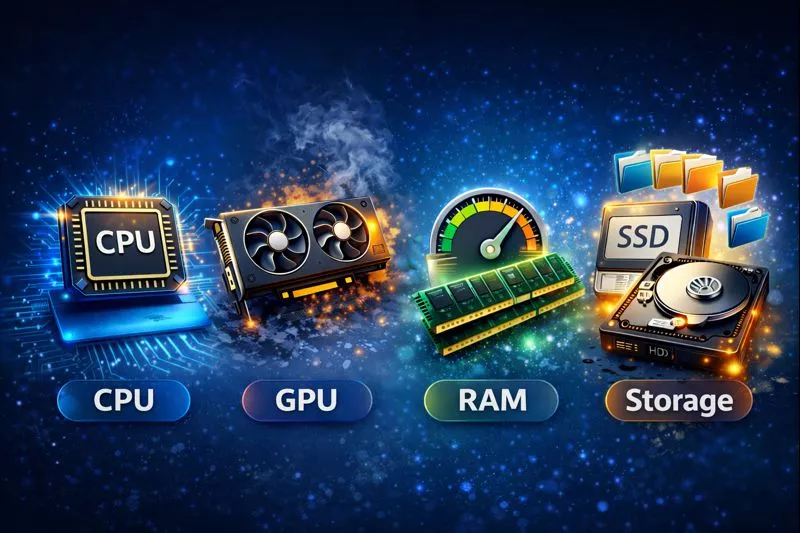
Citra Emulator performance depends on how powerful your device hardware is. Each part of your system plays an important role in how smoothly games run. If one component is weak, you may face lag, crashes, or slow loading times. Meeting the recommended requirements helps improve stability, speed, and overall gameplay quality.
The CPU is the most important part because it handles all the game calculations and emulation work. A strong processor allows games to run faster and smoother. The GPU improves graphics quality and allows higher resolution without slowing down the game. The RAM helps prevent crashes and slowdowns by giving Citra enough memory to run games properly. The storage affects how fast games load, and using an SSD can reduce stuttering and improve loading speed.
How to Check Your PC or Android Specs?
Before installing Citra Emulator, you should first check your device hardware to make sure it meets the required system level. This helps you avoid problems like lag, crashes, and slow gameplay.
For Windows PC:
Checking your Windows PC specs helps you understand whether your computer is powerful enough to run Citra smoothly. A strong processor and good graphics support are important for stable performance.
- Press Windows + R on your keyboard to open the Run box on your computer.
- Type dxdiag and press Enter to launch the DirectX Diagnostic Tool.
- In the System tab, check your processor name and installed RAM.
- Go to the Display tab to see your graphics card model and driver information.
- Note down your CPU, RAM, and GPU details so you can compare them with Citra’s requirements.
For Android Phone:
Checking your Android phone specs helps you see whether your device can handle Nintendo 3DS emulation properly. A 64-bit processor and modern Android version are required for smooth gameplay.
- Open the Settings app from your phone’s main menu.
- Scroll down and tap on About Phone or Device Information.
- Check your processor type and installed RAM from the hardware section.
- Look for your Android version to make sure it meets the minimum requirement.
- Save these details so you can compare them with Citra’s system requirements.
After checking your device specs, compare them with Citra’s requirements to see whether your system is suitable for smooth Nintendo 3DS emulation.
What to Do If Your Device Is Not Compatible?
If your device is not powerful enough to run Citra Emulator smoothly, you may face lag, slow speed, or frequent crashes. This usually happens because your CPU or GPU cannot handle 3DS emulation properly. However, with the right settings, you can still improve performance on weaker systems.
Lower resolution scaling
Reducing the game resolution makes graphics simpler and easier for your device to process. This helps improve FPS and reduces lag on low-end PCs and phones.
Enable Vulkan graphics backend
Vulkan can improve performance and stability on supported devices. It often runs faster than OpenGL and helps reduce stuttering and crashes.
Use performance-focused settings
Turning off heavy graphics effects and using low-quality settings helps reduce system load. This allows games to run more smoothly on weak hardware.
Close background apps
Other apps use CPU and RAM in the background, which slows down Citra. Closing them gives more power to the emulator and improves gameplay.
With proper optimization and settings, even weak devices can run some games at playable speed. Following a Citra performance optimization guide can help you get the best results from your hardware.
Conclusion:
Citra Emulator is a powerful tool for playing Nintendo 3DS games on both PC and Android devices, but smooth performance depends heavily on your hardware. A strong processor, good graphics support, and enough RAM are the most important factors for stable gameplay. Devices that meet the recommended system requirements will enjoy better graphics, higher FPS, and fewer crashes.
If your system only meets the minimum requirements, you may still be able to run lighter games by lowering graphics settings and using performance-focused options. With proper setup and optimization, even weaker devices can deliver a playable 3DS emulation experience.